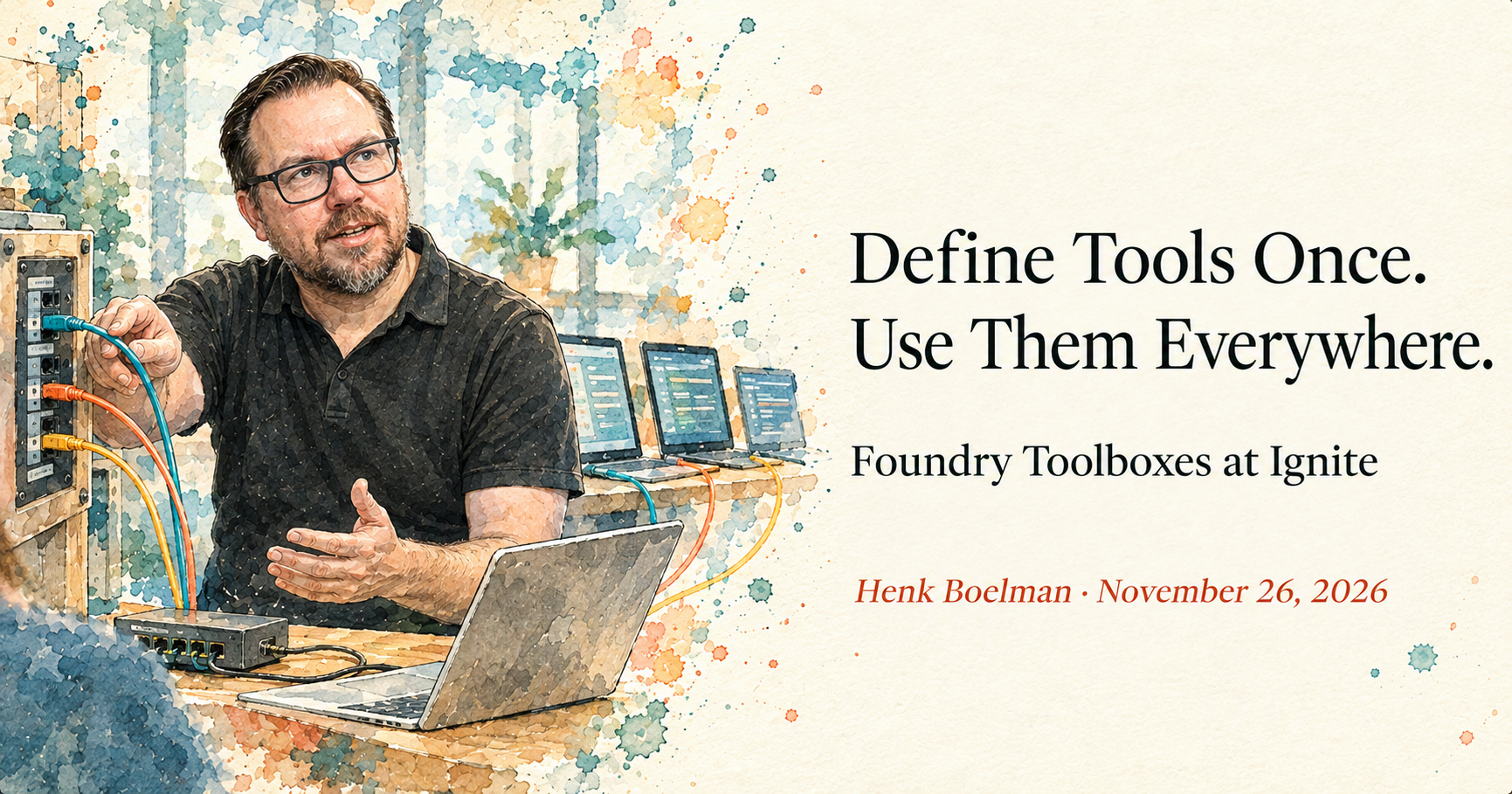
Define Tools Once. Use Them Everywhere.
Slides and notes from Microsoft Ignite on sharing tools across agents with Foundry Toolboxes: one MCP endpoint, tool search, versioned skills, and approval checks.
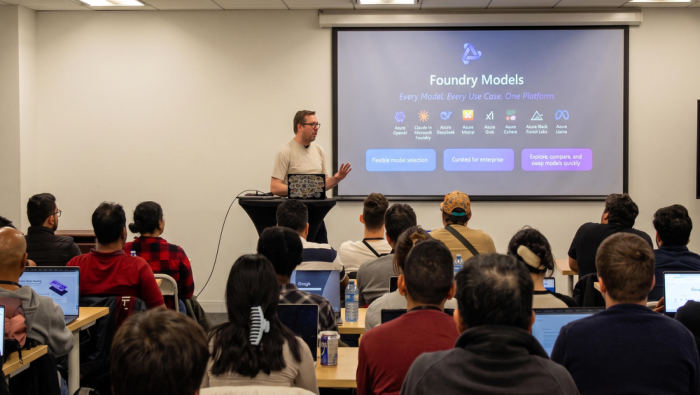
At Microsoft Ignite last week I gave a fifteen-minute lightning talk: Governance of tools and skills with Foundry Toolboxes. Lightning talks aren't recorded, so if you weren't in the room, this is the written version, slide by slide, with a bit more room to explain.
As always: I work at Microsoft, so read it knowing that.
The future isn't a single agent
Most agent demos show one agent doing one clever thing. That's not where organizations end up. The future is ecosystems of agents, tools and skills: dozens of agents, built by different teams in different frameworks, all needing the same tools.
That's where it breaks down. Every team wires up the same integrations again, every agent keeps its own secrets, and nobody has an overview of which tools exist or who uses them. The more agents you add, the worse it gets.
My talk was about one answer to that: reusable toolboxes that make an ecosystem of agents faster to build and easier to maintain.
One endpoint between agents and tools
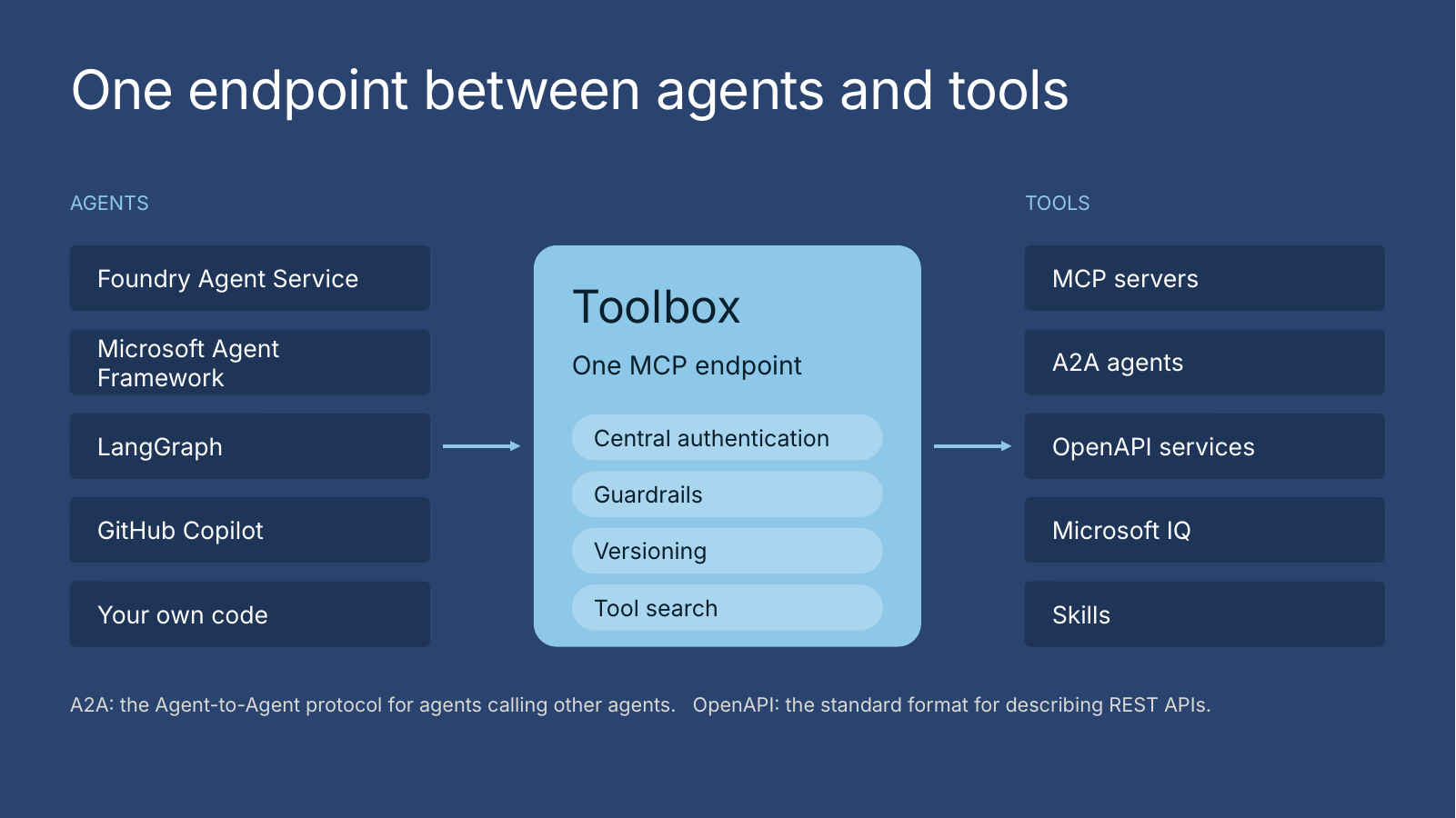
A toolbox in Microsoft Foundry sits between your agents and your tools. You define a curated set of tools once, and expose it through a single endpoint that speaks MCP, the Model Context Protocol, the open standard for connecting agents to tools.
On one side are the agents. Foundry Agent Service, Microsoft Agent Framework, LangGraph, GitHub Copilot, or your own code: anything that can talk MCP can use a toolbox.
On the other side are the tools. MCP servers, agents you reach through A2A (the agent-to-agent protocol), services described with OpenAPI (the standard format for describing web APIs), Microsoft IQ for enterprise knowledge, and skills.
In the middle, the toolbox takes care of what every team used to build separately: authentication, guardrails, versioning and tool search. You can add, remove or update tools without changing a line of agent code.
For developers, connecting comes down to one URL, built from your project endpoint and the toolbox name:
{project-endpoint}/toolboxes/{toolbox-name}/mcp?api-version=v1
Four pillars: Build, Discover, Consume, Govern
Microsoft organizes toolboxes around four pillars, and they map neatly onto the life of a tool.
Build. Publish reusable collections of tools and skills once, with authentication set up centrally.
Discover. Tool search finds the right tools at runtime, so hundreds of tools don't flood the context window.
Consume. Agents connect to one MCP endpoint and call tools across protocols and authentication models.
Govern. Authentication, authorization, guardrails, observability and versions, applied at the toolbox level instead of in every agent.
The governance part starts with identity. Authentication runs on Microsoft Entra ID and OAuth identity passthrough (OAuth is the standard protocol for delegated authorization). The toolbox injects credentials and refreshes tokens, so agents hold no per-tool secrets. That alone removes a whole class of problems.
Tool search: two tools, not hundreds
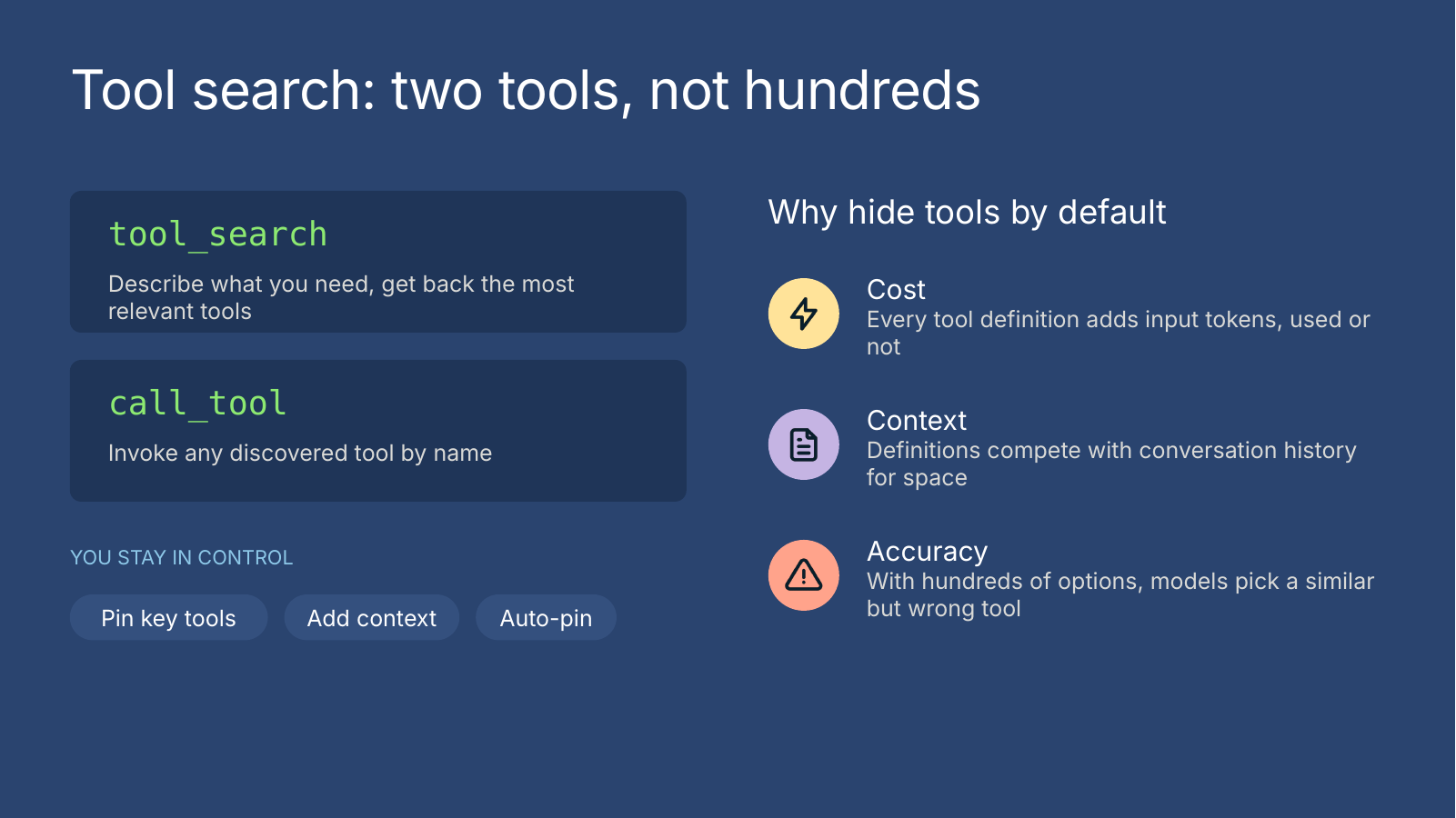
This is my favorite part. A toolbox can hold hundreds of tools, but the model doesn't see them all. It sees two:
tool_search: describe what you need, and get back the most relevant tools.
call_tool: invoke any discovered tool by name.
Why hide tools by default? Three reasons. Cost: every tool definition adds input tokens, whether the tool is used or not. Context: tool definitions compete with the conversation for space in the model's context window. And accuracy: give a model hundreds of options, and it starts picking a similar but wrong tool.
You stay in control. You can pin critical tools so they're always visible, add your organization's own terms as context so search understands your language, and automatically pin the tools that are used most. Tool search is in preview.
Skills and versions keep agents stable
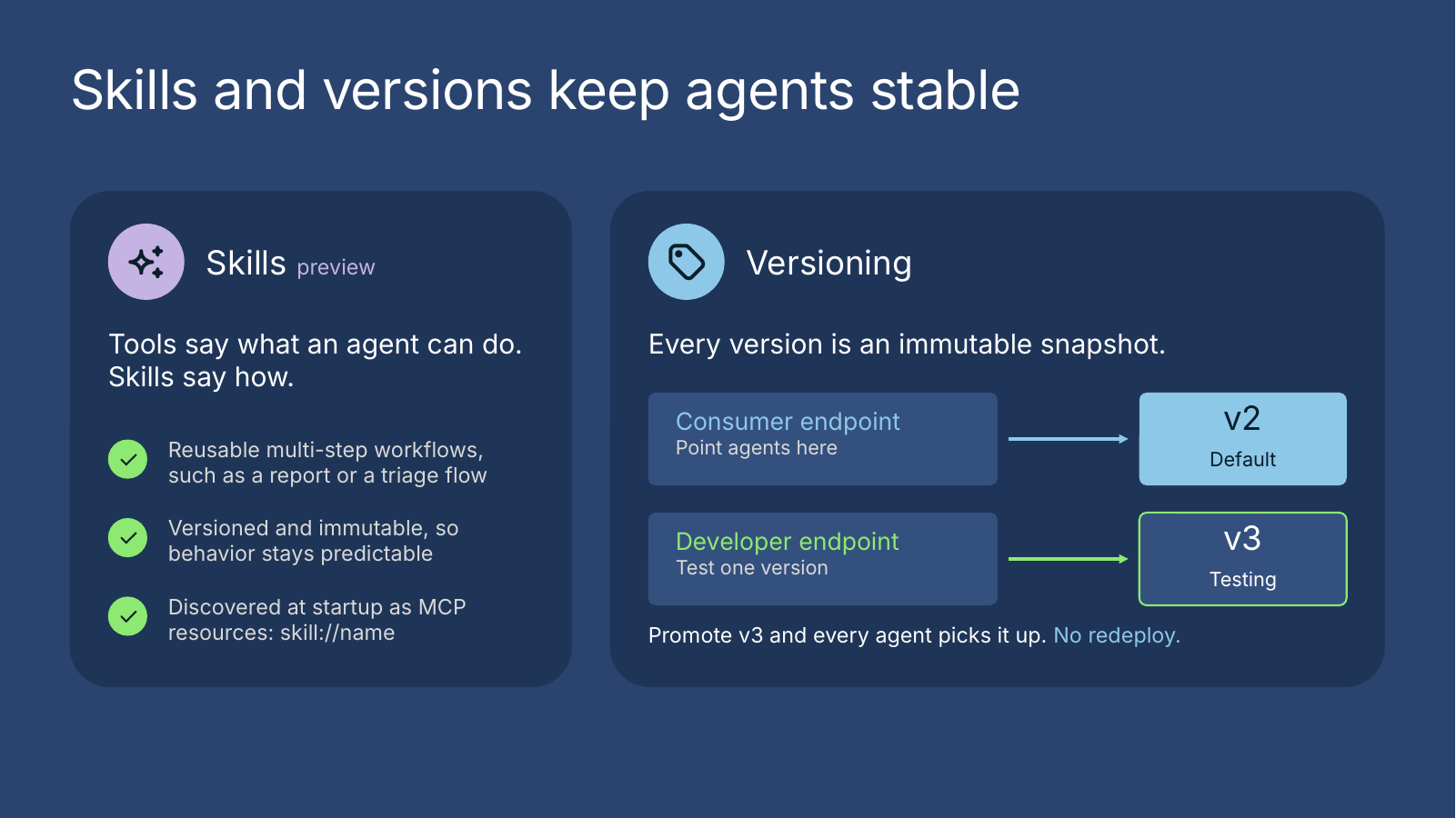
Tools say what an agent can do. Skills say how. A skill is a reusable, multi-step way of doing a job, like writing a report or running a triage flow. Skills are versioned and immutable, so behavior stays predictable, and agents discover them at startup as MCP resources. Skills are in preview too.
Versioning works for the toolbox itself as well. Every version is an immutable snapshot. The consumer endpoint always serves the default version, so that's where you point your agents. A developer endpoint targets one specific version, so you can test a change first. When it's ready, you promote the new version, and every agent picks it up without a redeploy.
That's the release pipeline we already know from software, now for the tools agents use.
What fits in a toolbox today
Most tool types already work in a toolbox: MCP servers, web search, Azure AI Search, code interpreter, file search, OpenAPI, A2A, browser automation, Fabric IQ, Work IQ, tool search and skills.
A few don't, and you attach those directly to an agent instead: function calling (because it runs on the client side), grounding with Bing, computer use, image generation, SharePoint, the Fabric data agent and Azure Functions. Tool availability also varies by region and model, so check before you deploy. This list moves fast, so treat it as a snapshot from Microsoft's documentation in October.
Before you build on it
Two things I'd want to know as a developer.
The toolbox endpoint doesn't block tool calls by itself. If a tool requires approval, that arrives as information for your agent, and your agent runtime is responsible for actually asking the user. The toolbox gives you one place to define, share and observe tools; your runtime still decides what an agent may do.
And this is a public preview, announced at Build 2026, with tool search and skills marked as preview within it. You can manage toolboxes with the Python, .NET and JavaScript SDKs (software development kits), the REST API, azd (the Azure Developer CLI) or the Foundry Toolkit for VS Code. Good to try now; worth checking the status before you build production processes on it.
Where to start
Microsoft's documentation is the best next step:
Define tools once
If you followed my series on Microsoft's AI models, you'll recognize the pattern. There I argued that you should be able to swap a model without rebuilding your app. Toolboxes apply the same idea to tools: one stable front door, and the freedom to change what's behind it.
The future isn't a single agent. It's many agents, sharing many tools. Define them once. Use them everywhere.
Pass it on
Share this article
Read next